Two-Factor Authentication: Which Method Is Safest?
Any second factor beats a password alone. But the four common methods are not equal: two of them stop phishing outright, one is decent, and one is a fallback you should keep off your most important accounts. Here is the ranking, and the 20-minute setup.
- Read time5 min
- StatusSeptember 2026
The four methods, ranked from safest down
1. Hardware security keys (safest, roughly $25 to $60)
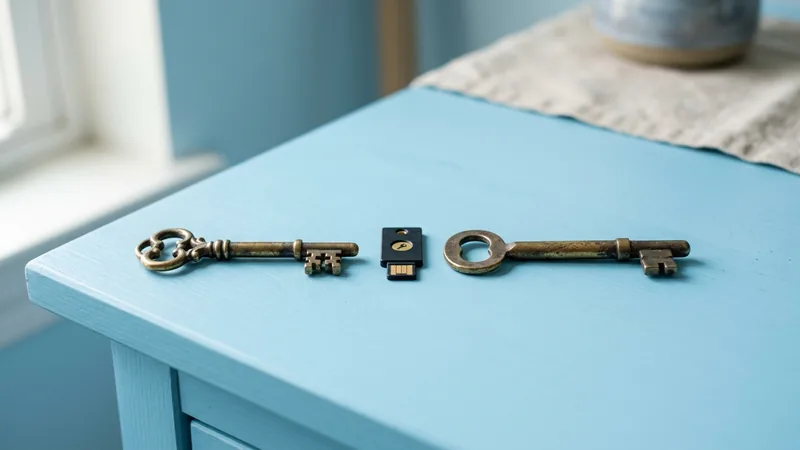
A security key is a small USB or NFC device; YubiKey and Google Titan are the familiar names. When you sign in, you tap it. The key checks the real website's address before it answers, so a lookalike phishing page gets nothing back. CISA calls this class of login "phishing-resistant" and treats it as the gold standard. There is no code to read out to a scammer on the phone, nothing to intercept, and no app to lose.
- Best for: your main email, your password manager, and any account holding money or your photos
- Cost: roughly $25 for a FIDO-only key such as Yubico's Security Key NFC, about $58 list for a YubiKey 5 NFC (September 2026 prices on yubico.com)
- Catch: buy two and register both, because a lost single key means backup codes or a support ticket
2. Passkeys (safest, free)
A passkey uses the same phishing-resistant cryptography as a hardware key, but the "key" lives in your phone or computer and unlocks with Face ID, a fingerprint or your device PIN. It is tied to the real site, so a fake login page cannot use it, and it syncs through iCloud Keychain, Google Password Manager or a password manager such as Bitwarden or 1Password. Apple, Google and Microsoft accounts all support them today.
- Best for: everyone; if a site offers a passkey, take it
- Why second, not first: a synced passkey is only as safe as the account it syncs through, so lock that account down with a key or a strong app-based factor
- Catch: support is wide but not universal; many banks still only offer codes
3. Authenticator apps (good, free)
Google Authenticator, Microsoft Authenticator, Authy or your password manager generate a six-digit code every 30 seconds from a secret shared once with the site. Nothing travels over the phone network, so a SIM swap cannot touch it. The weakness is human: a convincing fake page can ask for the code and relay it to the real site inside the 30-second window. It is still a big step up from SMS.
- Best for: every account that does not yet support passkeys or keys
- Push prompts: "approve this login?" notifications sit in the same tier; attackers spam them hoping you tap yes, which is why CISA recommends number matching
- Catch: turn on the app's cloud backup or you lose every code with your phone
4. SMS and voice codes (better than nothing)
Texted codes stop automated password-stuffing, which is most attacks. But your phone number is a weak anchor. The FTC warns that a criminal who convinces your carrier to move your number to a new SIM receives your codes. Codes are also easy to phish, and NIST's guidance treats the phone network as an untrusted channel. Keep SMS where it is the only option and remove it as a fallback everywhere else.
- Best for: low-value accounts, or the only choice a site offers
- Fix the anchor: put a PIN or port-out lock on your carrier account so the number cannot be moved without it
- Catch: nobody legitimate will ever call and ask you to read a code aloud
What doesn't matter much
- Which authenticator app. They all use the same open standard. Pick the one that backs up your codes.
- Six digits or eight. Code length is not where accounts get lost; the phishing page is.
- Protecting every account equally. Email, bank, password manager, Apple or Google ID. Get those four right and the rest can wait.
- Brand of key. Any FIDO2-certified key works the same way. Buy from the maker or a large retailer, never second-hand.
The 20-minute setup
- Start with email. It resets everything else. In Google: Google Account, Security, 2-Step Verification. On iPhone: Settings, your name, Sign-In & Security. Microsoft: account.microsoft.com, Security.
- Add the strongest method offered. Passkey first; it takes one tap. If you own a security key, add it under "Security key" or "Passkeys and security keys" and tap it when prompted.
- Add an authenticator app as the second method. Scan the QR code, type the six-digit code back to confirm, then turn on the app's backup.
- Save the backup codes. Every service hands you a short list of one-time codes. Paste them into your password manager's secure notes, not a screenshot in your camera roll.
- Remove SMS as a fallback where the site allows it. A strong method with a weak fallback is a weak method.
- Repeat for bank, password manager, and your Apple or Google account. Then the rest, one evening at a time.
Quick answers
Is SMS two-factor authentication safe?
It is better than a password alone, but it is the weakest option. Texted codes can be phished and intercepted with a SIM swap. Use an authenticator app, passkey or security key on email, banking and your password manager, and keep SMS only where nothing else is offered.
Are passkeys safer than an authenticator app?
Yes. A passkey is bound to the real website, so a fake login page cannot use it, and there is no code for a scammer to trick out of you. Authenticator codes can be phished in real time. Use a passkey wherever one is offered.
Do I really need a hardware security key?
Not everyone does. A passkey gives most people the same phishing resistance for free. Keys make sense for your main email, your password manager, and anyone with money or a public profile worth targeting. Buy two and register both.