Ransomware Explained
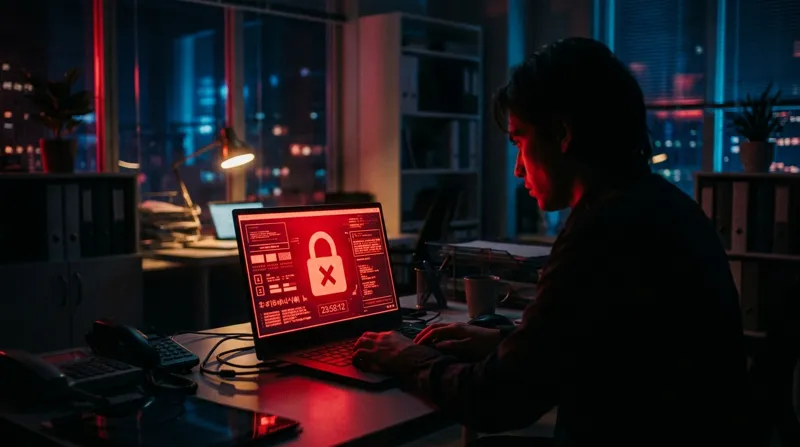
Files encrypted, countdown running, criminals demanding crypto. Here is how an attack actually unfolds, what the 2026 numbers say about how it gets in and who pays, why paying is the worst of the bad options, a 90-minute defense plan for a home or small office, and the first hour if it happens to you.
- Read time8 min
- Data tables2
- StatusSeptember 2026
What ransomware is
CISA's definition is the plain one: malware that encrypts the files on a device so the files, and anything that depends on them, stop working, followed by a demand for payment in exchange for the key. Since about 2020 most crews also copy your data out first and threaten to publish it if you do not pay. CISA calls that pairing "double extortion." Some groups now skip the encryption and just steal and threaten. The lock screen is the visible part; the copied data is the part that keeps costing you after the screen is gone.
How an attack unfolds
- Entry. A phishing email, a password reused from an old breach, an unpatched VPN or firewall, or a remote desktop port left open to the internet. One foothold is enough.
- Spread. Hours to weeks of quiet movement through the network, and a deliberate hunt for backups. CISA's guide notes that many ransomware variants "attempt to find and subsequently delete or encrypt accessible backups" so restoration is impossible without paying. That single sentence is why the offline copy matters.
- Theft. Data is copied out before anything is encrypted, for leverage.
- Detonation. Simultaneous encryption across every reachable machine, usually at night or on a holiday weekend.
- The demand. A note with a countdown, a chat portal, and, at the larger crews, a helpdesk with better response times than most software companies.
The 2026 numbers
Two data sets, published in 2026, describe the current picture. The FBI's Internet Crime Complaint Center counts what was reported to it in 2025. Sophos surveyed 2,158 IT and security leaders in 17 countries, at organizations of 100 to 5,000 employees, between January and March 2026.
| Figure | Value | Source |
|---|---|---|
| Ransomware complaints to the FBI, 2025 | 3,611, with $32.3 million in reported losses (excluding downtime, equipment, and recovery costs) | FBI IC3 2025 report |
| All cybercrime losses reported to the FBI, 2025 | $20.877 billion across 1,008,597 complaints, up 26 percent | FBI IC3 2025 report |
| Most-reported ransomware crews, 2025 | Akira, Qilin, INC Ransom/Lynx/Sinobi, BianLian, Play | FBI IC3 2025 report |
| Attacks that succeeded in encrypting data | 56 percent | Sophos State of Ransomware 2026 |
| Victims who paid | 48 percent (down from 56 percent in 2024) | Sophos 2026 |
| Victims who restored from backups | 66 percent (up from 54 percent in 2025) | Sophos 2026 |
| Median ransom demand and payment | $698,000 demanded; $769,000 paid (payers skew toward larger demands) | Sophos 2026 |
| Average recovery cost, excluding the ransom | $1.7 million | Sophos 2026 |
How it gets in, ranked
For the first time in four years, exploited software bugs are not the top cause. People are. Sophos found that 79 percent of attacks began with an identity: a stolen password, a phished login, an abused account. Match your defenses to this list, not to the movie version.
| Root cause (Sophos 2026) | Share of attacks | The defense that matches |
|---|---|---|
| Malicious email attachment or link | 26 percent | Phishing habits, mail filtering, no macros |
| Phishing for credentials | 24 percent | Phishing-resistant MFA (passkeys or security keys) |
| Compromised credentials | 23 percent | Unique passwords from a password manager; MFA everywhere. 97 percent of these victims had some MFA, but not on the account that mattered |
| Exploited vulnerability | 18 percent | Automatic updates; retire anything the maker no longer patches |
| Brute-force attack | 6 percent | Long passwords, account lockout, no remote desktop open to the internet |
Should you pay?
Plan not to, and make that plan before you need it. Three reasons. First, paying funds the next hundred attacks and marks you as someone who pays. Second, a payment buys a promise from a criminal: the decryptor may be slow, partial, or broken, and nothing stops them keeping the data they copied. Third, the number that actually predicts recovery is not the ransom, it is whether you have a backup the attackers could not reach. In the 2026 survey, two in three victims restored from backups, and the share paying has fallen every year since 2024 as backups improved. For a home user or a small business with a tested offline backup, there is nothing to buy.
CISA and the FBI want three things from a victim: isolate the infected machines, report the attack, and restore from clean backups. Their response checklist starts with disconnecting, not negotiating. Report to your local FBI field office or IC3; law enforcement sometimes has a free decryptor for older variants and will tell you.
Defenses that actually work, ranked
1. An offline, tested backup
The only defense that makes an attack survivable rather than merely less likely. CISA's guide: "maintain offline, encrypted backups of critical data, and regularly test the availability and integrity of backups." NIST's ransomware profile says the same in four words: back up, secure, test restoration. Offline means a drive that is unplugged between backups or a cloud service with version history the malware cannot delete.
- Do: follow the 3-2-1 rule and restore one file from each copy every quarter
- Time: one afternoon to set up, 15 minutes a quarter to test
2. Automatic updates on everything
Nearly one in five attacks starts with a bug that already had a patch. NIST's first tip is to keep systems fully patched and install updates as soon as feasible. Turn on automatic updates for the operating system, the browser, and the router, and replace devices the maker has stopped patching.
- Do: Windows Update and macOS automatic updates on; router auto-update on; retire end-of-life gear
- Time: 10 minutes
3. Multifactor authentication that phishing cannot beat
Half of attacks start with a stolen or phished login. CISA's guide asks for phishing-resistant MFA on email, VPNs, and anything that reaches important systems. For a household that means passkeys or a security key on email, banking, and the Apple or Google account, with app-based codes as the fallback. Text-message codes are better than nothing and worse than everything else.
- Do: passkeys on the accounts that reset all the others; see which 2FA method is safest
- Time: 30 minutes
4. One password per account, generated
Reused passwords are how a breach at a shopping site becomes a login to your email. A password manager fixes this in an evening. Bitwarden, Proton Pass, Apple Passwords, and Google Password Manager are free.
- Do: the setup guide, then fix the top 20 accounts first
- Time: two hours once
5. Nothing open to the internet that does not need to be
Remote desktop, file shares, and router admin pages exposed to the internet get found by scanners within hours. CISA's guide says to limit remote desktop and, where it is needed, close unused ports, enforce lockouts, and require MFA. At home: turn off remote management and UPnP on the router, and use a VPN or the vendor's app instead of an open port.
- Do: the router checklist
- Time: 20 minutes
6. Phishing habits and mail filtering
Half of attacks begin with an email. The 30-second check (sender address, link destination, urgency, unexpected attachment) plus a mail service that quarantines the obvious catches most of them. Do not enable macros in a document that asks you to.
- Do: the phishing guide; keep antivirus on with automatic signature updates, as CISA recommends
- Time: 10 minutes to read, a habit forever
The 90-minute defense plan
- Buy or find an external drive and back up tonight (30 min). Time Machine on a Mac, File History or the Windows Backup app on a PC. Unplug the drive when it finishes.
- Turn on cloud backup with version history for your key folders (15 min). Photos and documents at minimum.
- Turn on automatic updates (10 min). Computer, phone, browser, router.
- Add passkeys or app-based MFA to email, bank, and your Apple or Google account (25 min).
- Restore one file from the drive and one from the cloud (10 min). An untested backup is a rumor.
If it happens: the first hour
This follows CISA's response order. Do not start by looking for a decryptor and do not reboot to "see if it clears."
- Disconnect. Pull the network cable, turn off Wi-Fi, unplug any external drive that is still attached. If you cannot disconnect a device, power it off. Do this on every machine in the house or office, not just the one showing the note.
- Photograph the ransom note with your phone. Investigators and free decryptor databases identify the crew from it.
- Do not pay and do not reply yet. The countdown is a sales tactic.
- Report. IC3 for anyone in the U.S.; your bank if any financial account may be involved; your employer's IT team if a work device is affected.
- Change passwords from a clean device, starting with email, and revoke sessions on the accounts the infected machine was logged into.
- Wipe and restore. Reinstall the operating system, then restore files from the offline or versioned copy. Restore documents first, then photos, then everything else. Scan the restored files before reconnecting the drive to anything.
- Watch for the second act. Stolen data feeds identity theft for years. Freeze your credit and follow the breach checklist.
The whole guide in one line: attackers get in through a person, and victims pay because their backup was reachable. Fix the login, unplug the backup, and ransomware becomes a bad afternoon instead of a lost decade of photos.
Quick answers
Should you pay a ransomware demand?
Plan not to. In Sophos's 2026 survey the median payment was $769,000 and only 48 percent of victims paid, while 66 percent restored from backups. Paying funds the next attack, does not guarantee a working decryptor, and does not stop criminals leaking data they already copied. CISA and the FBI want you to isolate, report, and restore from offline backups. A home user with a tested backup has nothing to buy.
How does ransomware get in?
Mostly through people, not code. In the 2026 Sophos data, malicious email and phishing together started half of all attacks, stolen credentials started 23 percent, and unpatched software 18 percent. Four in five attacks began with a stolen or abused identity. The defenses that match those numbers are a password manager, phishing-resistant multifactor authentication, and automatic updates.
Does antivirus stop ransomware?
Sometimes, and you should keep it on with automatic updates, as CISA advises. But 56 percent of attacks in the 2026 survey still succeeded in encrypting data at organizations with security teams. Treat antivirus as one layer; the layers that decide the outcome are updates, MFA, and an offline backup you have actually restored from.
Sources
- CISA, FBI, NSA, MS-ISAC: #StopRansomware Guide (September 2023 revision, read September 2026)
- CISA: I've been hit by ransomware: response steps and where to report
- FBI IC3: 2025 Internet Crime Report (April 2026)
- Sophos: The State of Ransomware 2026 (July 2026)
- NIST IR 8374: Ransomware Risk Management: A Cybersecurity Framework Profile (February 2022)